cookies preferences

Power Pages Services

Enabling secure, enterprise-grade self-service portals

Talk to our Experts

Need a secure, professional portal without custom build cost or delays?

We design low-code Power Pages portals that accelerate delivery while meeting enterprise security and scalability needs, without compromising experience or control.

Want external users to seamlessly interact with your business processes?

We enable secure, real-time interactions by integrating Power Pages with Dataverse, Power Automate, and enterprise systems across customer and partner workflows.

Concerned about compliance and identity control for customer-facing apps?

Our team enables role-based access, identity management, and governance controls that enforce compliance, security, and policy alignment as usage scales.

Extending Power Platform Beyond the Enterprise Firewall

Customer portals, partner onboarding, vendor collaboration, and external-facing apps often rely on fragmented systems, manual processes, or custom-built applications that are expensive to maintain and slow to evolve.

By aligning platform capabilities with enterprise architecture and governance standards, we ensures that digital experiences are not just functional, but sustainable, secure, and business-ready.

Schedule a Call

From page design to secure experiences with Copilot

Copilot in Power Pages accelerates portal creation by helping teams design pages, forms, and layouts using natural language. LevelShift ensures Copilot-assisted portals are production-ready, secure, and aligned with enterprise identity, data, and governance standards.

Copilot capabilities are implemented with governance and security controls to ensure safe adoption. Some of the common examples include:

Managing Applications

Self-Service Appointments

Registration Bookings

Customer Websites

Partner Websites

Membership Websites

Vendor
Portals

Our Power Pages Services
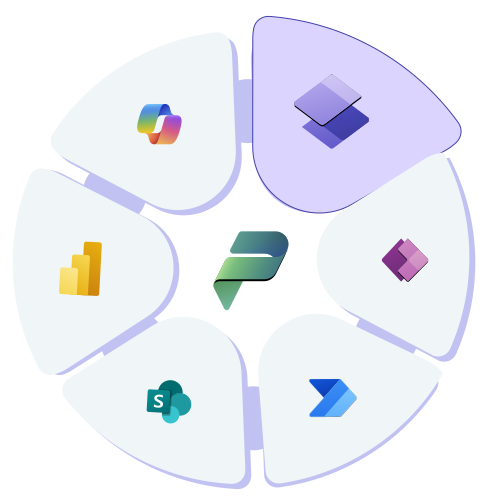
Data Analytics Services Illustration

Portal Architecture and Design

Design scalable Power Pages architectures for internal, external, and partner-facing portals.

Secure Authentication and Authorization

Implement Azure AD, Entra ID, role-based access, and external identity integration.

Data Integration with Dataverse

Expose business data securely through Dataverse with validation, rules, and relationships.

Workflow and Automation Integration

Connect Power Pages with Power Automate workflows for submissions, approvals, and notifications.

Custom UI and Branding

Deliver branded, responsive, and accessible portal experiences.

Governance and Lifecycle Management

Set up environments, ALM pipelines, security policies, and monitoring.

Industry Use Cases of Power Pages

Financial Services

Customer onboarding, service requests, compliance portals

Healthcare

Patient intake, partner collaboration, provider portals

Retail

Supplier onboarding, order and returns portals

Manufacturing

Dealer portals, warranty and service requests

Energy and Utilities

Partner access, service and customer interaction portals

Public Sector

Citizen services, application and permit portals

Customer Impact

Modernizing Secure Deal Management with Microsoft Power Pages, Power Automate, and Power BI

For an American asset management firm managing funds for non-profit institutions, deal data scattered across systems and manual approvals slowed execution and limited visibility into deal progress. By building a Power Pages application with Dataverse, SharePoint, and role-based access for internal and external stakeholders, deal management became centralized, secure, and faster to execute.

Read the full story

45% Reduction in Approval Cycle Time

Automated multi-level workflows in Power Automate cut delays and errors in deal approvals.

40% Improvement in Decision-Making Spee

Embedded Power BI dashboards gave leadership real-time visibility into deal progress.

50% Increase in Cross-Team Collaboration

A centralized platform replaced fragmented tools, connecting internal and external stakeholders.

Why LevelShift

  • Microsoft specialized low-code solutions partner
  • Governance-first approach for external user access
  • 100+ Low-Code Digital Transformation Projects Delivered

Microsoft Solutions Partner

Explore our full range of Power Platform Services

Learn More

Our Perspectives

FAQs

Microsoft Power Pages is a low-code platform for building secure, external-facing websites and portals that connect directly to Dataverse and the rest of the Power Platform. It's designed for scenarios like customer self-service, partner collaboration, and public-facing applications where people outside your organization need controlled access to your data and processes.
Power Pages is the evolution of what Microsoft previously called Power Apps portals. Microsoft rebranded and expanded the product into a standalone platform, adding a dedicated design studio, code editor, and more flexible licensing, so functionality that once lived inside Power Apps now has its own dedicated tool built specifically for external-facing sites.
Power Pages combines low-code development with enterprise-grade security and governance already built into the platform, which reduces build time compared to a fully custom-coded portal. It also stays natively connected to Dataverse and the rest of the Power Platform, so a portal can reuse existing business logic instead of duplicating it in a separate codebase.
No. External users, customers, partners, or the public, don't need individual Power Apps or Microsoft 365 licenses. Organizations license external user access for the site as a whole, and users sign in through supported identity providers like Microsoft Entra ID, Azure AD B2C, or a local account created directly on the portal.
Yes. Power Pages supports both authenticated pages that require sign-in and anonymous pages that anyone can view without an account, often on the same site. This makes it suitable for public sector use cases like citizen services, where general information stays open but personal applications or case details require authentication.
Yes. Power Pages is built to work natively with Power Apps and Power Automate, so existing workflows, data models, and business logic can be reused rather than rebuilt. This lets external users interact with the same underlying processes your internal teams already rely on.
Role-based permissions, identity provider authentication, and table-level and column-level security within Dataverse control what external users can see, so they only access data relevant to their role. These controls, combined with audit logging, help meet compliance requirements in regulated industries like financial services and healthcare.
Yes. Power Pages runs on Azure-backed infrastructure designed to handle large numbers of concurrent external users, and licensing scales based on page views or logins rather than a fixed per-user model. This makes it a practical fit for customer, partner, and vendor-facing scenarios where user volume can spike unpredictably.

Build enterprise-ready portals faster with LevelShift’s Power Pages services.

Talk to our Experts