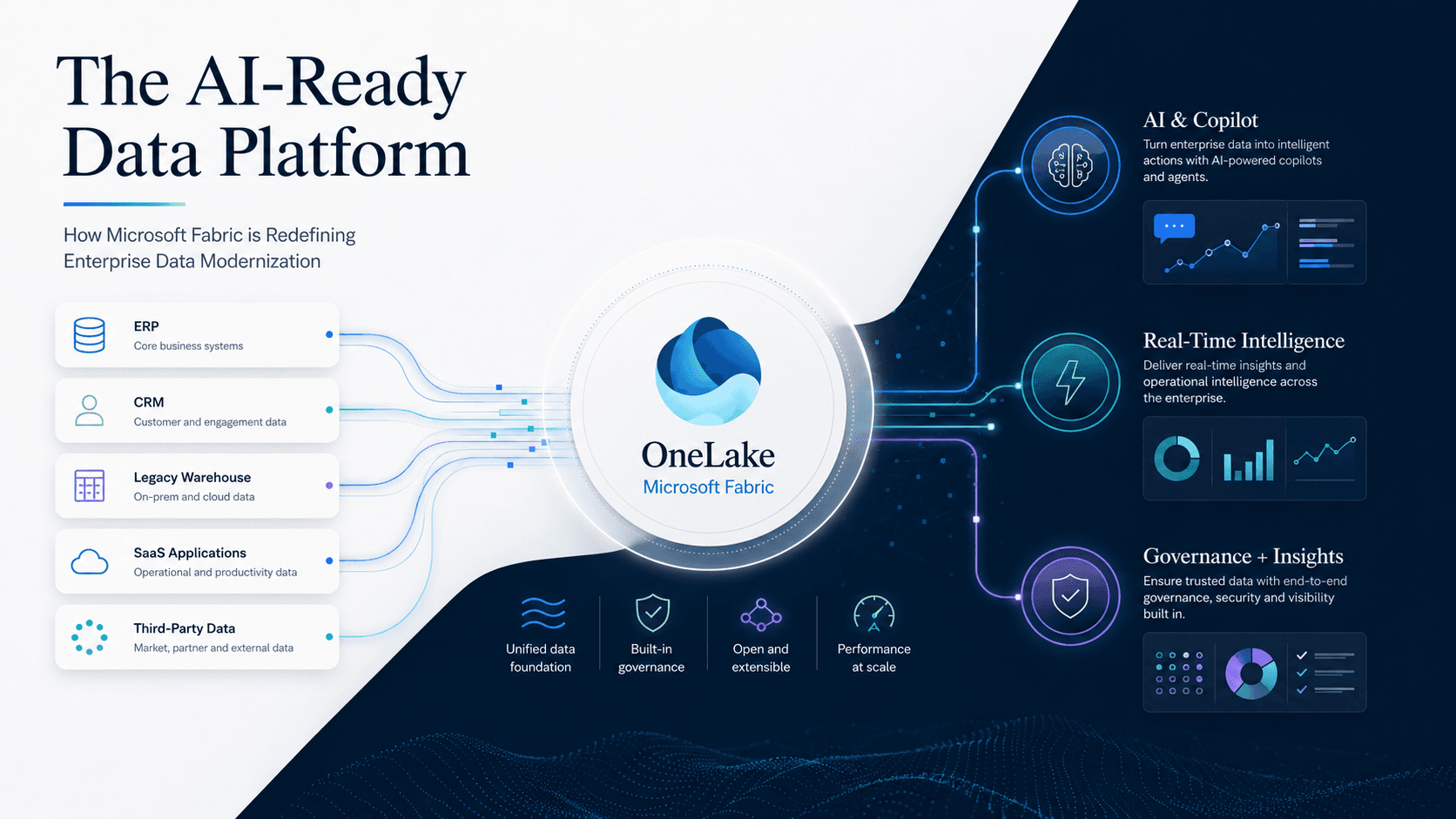
Microsoft Fabric promises what many enterprises have struggled to achieve for years: a unified analytics platform that integrates data engineering, data science, data warehousing, real-time analytics, governance, and business intelligence into a single SaaS experience.
| Gartner Market Guide for Analytics and BI Platforms (2024) notes that organizations moving to unified analytics platforms reduce data integration effort by 40–60%. |
Microsoft has positioned Fabric to reduce architectural sprawl, accelerate insights, and prepare enterprise data estates for AI. In practice, many organizations do see value early.
This blog examines the most common pitfalls enterprises encounter when adopting Microsoft Fabric, draws on real industry experience, and outlines how organizations can avoid them with the right approach and expert guidance from partners like LevelShift.
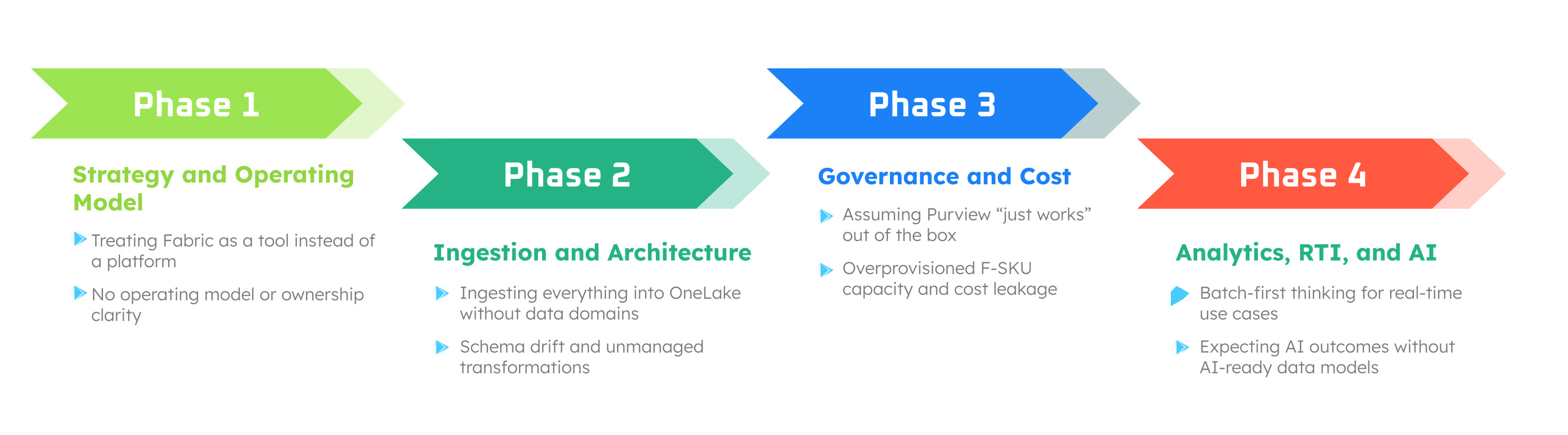
One of the earliest and most common mistakes is treating Fabric as a like-for-like replacement for Synapse, Power BI Premium, or a standalone data lake. However, moving to Fabric is a complete operating model shift, not a mere plug-and-play. Adopting it without rethinking operating models means teams often recreate the same silos Fabric was meant to eliminate.
Fabric thrives on cross-team integration, shared governance, and centralized workflows. If teams do not evolve their ways of working, the platform will be underutilized.
What goes wrong
- Teams adopt Fabric workload by workload instead of end-to-end.
- Data engineering, BI, and governance continue operating in silos.
- Fabric becomes a UI layer on top of old patterns.
How to avoid it
2. Ingesting Data into OneLake Without a Clear Data Strategy
Fabric’s OneLake often gives teams the confidence (or temptation) to ingest all data immediately. It simplifies ingestion but does not replace data architecture discipline.
| According to Forrester’s Total Economic Impact (TEI) studies on unified data platforms, organizations without upfront data modeling and domain alignment experience up to 30% higher rework effort in the first year of platform adoption.
(Source: Forrester TEI of Unified Data Platforms, 2023–2024) |
The ability to ingest data quickly often leads teams to load everything first and think later.
What practitioners report
Across Microsoft community experts cite:
- Poorly structured bronze layers
- Inconsistent schemas across domains
- Difficulty enforcing governance retroactively
- Performance challenges in downstream analytics
At this stage, many enterprises also struggle to balance speed and control in data ingestion. Business teams often want self-service data preparation, while engineering teams prioritize consistency and governance. This is where Dataflow Gen2 plays a critical role in Microsoft Fabric adoption.
Microsoft positions Dataflow Gen2 as part of the unified ingestion experience in Fabric, designed to replace fragmented Power Query and legacy ETL workflows.
(Source: Microsoft Fabric Documentation and Build 2024 sessions)
Dataflow Gen2 provides a governed, low-code ingestion and transformation layer that standardizes how data enters OneLake. By enforcing reusable transformations, centralized scheduling, and lineage tracking, Dataflow Gen2 helps organizations avoid early schema drift while enabling faster onboarding of new data sources.
How to avoid it
- Define data domains and ownership before ingestion.
- Establish schema contracts and naming standards.
- Prioritize high-value data products instead of full replication.
- Treat OneLake as a product layer, not just storage.
3. Underestimating Governance, Security, and Compliance Requirements
A common misconception is that Purview automatically solves compliance once Fabric is enabled. It doesn’t. Fabric simplifies governance, but it does not eliminate responsibility. Many organizations assume this, which leads to blind spots where enterprises struggle with overly-permissive workspace access or a lack of lineage across Spark, Warehouse, and BI
| According to Forrester, organizations that lack automated lineage and classification spend 30–40% more time on audits and compliance reporting.
(Source: Forrester TEI of Microsoft Purview) |
Pain Points seen in BFSI, healthcare, and retail
- No centralized sensitivity labeling strategy.
- Datasets are shared across domains without proper RBAC/ABAC controls.
- Copilot-ready datasets are used without compliance validations.
- Real-time streams bypassing governance pipelines.
How to avoid this
- Build a Fabric Governance Blueprint covering lineage, RBAC, ABAC, tagging, and workspace security.
- Integrate Purview classifications early—not after BI reports are built.
- Enforce semantic layer governance rules for cross-domain reporting.
- Add data quality gates to bronze → silver → gold transitions.
From a governance perspective, Dataflow Gen2 also helps close a common gap in Fabric implementations. Because dataflows automatically capture lineage and integrate with Microsoft Purview, they provide greater visibility into how data is transformed before it reaches analytical models.
Why it works here
Dataflow Gen2:
- Automatically participates in lineage.
- Integrates with Purview.
- Creates auditable transformation steps.
- Reduces “shadow ETL.”
This reduces reliance on undocumented scripts and helps governance teams maintain traceability as Fabric environments scale.
4. Misalignment Between Fabric Capacity (F-SKUs) and Real Workload Needs
Fabric’s F-SKU capacity model is powerful—but unfamiliar, and engineering teams fail to model workloads before provisioning.
Many organizations default to oversized capacities based on Power BI Premium equivalents, without understanding actual workload patterns. As a result, they overspend due to poor planning.
What the data says
Microsoft documentation and partner-led benchmarks show that Spark and Warehouse workloads behave very differently under capacity constraints, and under-optimized Spark jobs inflate consumption.
According to Microsoft guidance shared during Fabric readiness sessions (Ignite and Build 2024), organizations that actively monitor and rebalance workloads can reduce Fabric capacity waste by 20% to 40%.
(Source: Microsoft Fabric Capacity Planning and Optimization Guidance)
Typical issues
- Teams start with F64 because of Power BI Premium equivalence—but do not need it.
- Data Warehouse usage outpaces planning due to poorly partitioned fact tables.
- Workspaces are not separated logically, causing noisy-neighbor effects.
How to avoid this
- Run a Capacity Planning Assessment using existing POC workloads.
- Benchmark Spark, DW, RTI, and Power BI usage.
- Isolate workloads with workspace-level capacity routing.
- Use Fabric’s cost observability dashboards to control consumption.
5. Overlooking Change Management and Skill Gaps
Fabric is often compared with other Microsoft products. Unfortunately, it is not “Synapse 2.0” or “Power BI Premium 2.0.” It introduces new paradigms:
- Lakehouse-first engineering
- Semantic models as enterprise-wide assets
- Warehouse + Lake integration
- Real-Time Intelligence and Eventstream
- AI/ML integration directly inside Fabric
SQL developers, BI analysts, data engineers, and data scientists all interact differently with Fabric than with traditional platforms. Teams often underestimate the learning curve, especially for:
- SQL engineers adapting to Delta Lake
- BI teams adopting semantic model best practices
- Data scientists shifting to Fabric notebooks/Spark
- Infra teams adopting SaaS-style governance
| According to Microsoft’s Power BI Adoption Framework, organizations that invest in role-based enablement are significantly more likely to achieve sustained analytics adoption.
(Source: Microsoft Power BI Adoption Framework) |
Avoidance strategy
- Launch role-based enablement pathways: Fabric Analyst, Fabric Engineer, Fabric Admin, Fabric Architect.
- Conduct hands-on FAIAD and workload-specific workshops.
- Establish a Center of Enablement to accelerate internal upskilling.
6. Overlooking Real-Time Analytics (RTI) Design
Industries such as retail, healthcare, fintech, and supply chain increasingly rely on real-time insights. Many Fabric adopters underestimate the complexity of RTI and assume traditional batch models will suffice.
Why this matters
According to Gartner’s Market Guide for Event Stream Processing (2024), organizations using real-time analytics detect anomalies up to five times faster than those using batch-only systems.
(Source: Gartner Market Guide for Event Stream Processing, 2024)
How to avoid it
- Design event schemas and contracts early.
- Govern streaming data like batch data.
- Integrate RTI outputs with semantic models.
- Monitor late and out-of-order events.
7. Expecting AI Outcomes Without AI-Ready Data
Most enterprises say they want AI, but fail to prepare data for AI workloads.
According to Gartner’s 2024 GenAI Readiness research, organizations with unified, governed data models are twice as likely to achieve measurable GenAI ROI within 12 months.
(Source: Gartner GenAI Readiness Survey, 2024)
Based on our experts’ research, Fabric adopters face these common gaps:
- No unified semantic layer for Copilot or custom copilots.
- Fabric ML models are not aligned to enterprise MLOps pipelines.
- Data scientists are still working outside Fabric, recreating silos.
- Gold datasets not reshaped for LLM use cases.
Our recommended best practices
- Establish AI-ready data models within Fabric.
- Define clear Copilot governance guidelines.
- Connect Fabric ML and the data science experience to enterprise MLOps ecosystems.
- Build vector store foundations and retrieval-ready datasets.
Common Microsoft Fabric Pitfalls – Impact and How to Avoid Them
| Pitfall |
Business / Technical Impact |
How to Avoid It |
| Treating Microsoft Fabric as a point solution. |
Recreated data silos, fragmented ownership, low platform adoption, and limited cross-team collaboration. |
Define a unified Fabric operating model with shared ownership across data engineering, BI, governance, and operations. |
| Uncontrolled ingestion into OneLake. |
Schema drift, inconsistent bronze layers, performance degradation, and high rework effort. |
Adopt domain-led ingestion, establish schema contracts, and use Dataflow Gen2 for governed, reusable transformations. |
| Late-stage governance and compliance. |
Audit delays, over-permissive access, security risks, and Copilot exposure without safeguards. |
Integrate Purview classifications early, enforce lineage-first design, and apply RBAC/ABAC at ingestion and semantic layers. |
| Misaligned Fabric capacity (F-SKU overprovisioning). |
20–40% higher platform costs, inefficient Spark and Warehouse usage, and noisy-neighbor effects. |
Benchmark workloads, perform capacity planning assessments, and isolate workloads using workspace-level routing. |
| AI ambition without AI-ready data. |
Low or delayed GenAI ROI, stalled Copilot initiatives, and disconnected data science workflows. |
Build unified semantic models, govern Copilot usage, and prepare AI-ready datasets aligned with enterprise MLOps. |
Is Microsoft Fabric Still Worth It? Absolutely.
Most commonly, enterprises rush to rebuild everything instead of prioritizing modernization. This leads to broken dependencies, unrealistic timeline expectations, and unclear ROI.
However, when adopted, enterprises report improvements such as:
- 50–70% faster analytics delivery
- 30–40% cost savings vs. multi-cloud stack complexity
- Stronger governance with Purview
- Far more agility for AI use cases
- Unified developer experience across engineering, warehousing, RTI, and BI
Here is a more successful approach
- Prioritize migrations using a Value–Complexity Framework.
- Start with three to four foundational workloads (financial reporting, sales analytics, product performance, customer 360).
- Modernize incrementally using automated frameworks for reconciliation, pipeline testing, and semantic modeling.
Microsoft Fabric is a strong platform, but success depends on how thoughtfully it is adopted. Enterprises that recognize the pitfalls early and plan accordingly move faster, spend smarter, and unlock value sooner.
How LevelShift Helps You Avoid These Pitfalls
LevelShift is among the industry’s most experienced partners in Microsoft Fabric adoption, with deep Microsoft + Perforce + Data Engineering expertise.
Whether you are evaluating Fabric, piloting your first workloads, or scaling across business domains, we help you avoid costly mistakes and unlock Fabric’s full value faster.
We help enterprises:
- Build Fabric readiness roadmaps
- Design Lakehouse + Warehouse + RTI architectures
- Migrate Power BI Premium, Synapse, Snowflake, Databricks to Fabric
- Implement Purview governance
- Create AI-ready semantic models
- Optimize F-SKU capacity and performance
- Set up Centers of Enablement and training programs
- Deliver POCs through Microsoft ECIF funding (where applicable)
Microsoft Fabric is transforming how enterprises build, govern, and consume data. But success depends on avoiding pitfalls stemming from rushed implementations, unclear strategies, or inadequate governance. With the right expertise and structured adoption framework, organizations can modernize confidently and accelerate AI-ready outcomes.
Want to Explore a Fabric Readiness Assessment or Pilot?
Book a session with LevelShift to map your workloads, avoid pitfalls, and build a high-value Fabric roadmap.

 1. Treating Microsoft Fabric as a Tool, Not a Platform