Microsoft Power Apps has evolved into a low-code platform that helps organizations build custom business applications faster and address gaps that traditional development cannot easily fill.
Organizations rarely lack applications. They lack the time, capacity, and efficient processes needed to get work done. Although building apps has become easier, the bigger challenge is deciding which processes are worth digitizing.
In 2026, choosing the right Power Apps use case is as important as the technology itself. The strongest opportunities are those that solve recurring business problems, reduce manual effort, and deliver measurable results.
Where Does Power Apps Deliver the Most Value in 2026?
Power Apps can support a wide range of business processes, but not every process needs a custom application. The strongest Power Apps use cases for businesses typically share several characteristics:
- Manual, repetitive work that consumes employee time
- Heavy reliance on Excel, email, or paper-based records
- Multiple people involved in approvals or reviews
- Data entered across disconnected systems
- Limited visibility into status, progress, or bottlenecks
- Frequent errors, duplicate entries, or rework
- Processes that change frequently
- IT backlogs that delay traditional development
- Employees who need access to information while mobile or in the field
A process that meets several of these criteria is a strong candidate for a Power Apps solution.
Top 15 Microsoft Power Apps Use Cases for 2026
These 15 Microsoft Power Apps use cases for 2026 cover common challenges across workforce management, operations, finance, and industry-specific workflows. The table provides an overview, followed by four examples that demonstrate how Power Apps can address specific business needs.
| Use case |
Primary problem |
Recommended solution |
Expected benefit |
Complexity |
| Workforce and approvals |
| Employee onboarding |
Delayed paperwork and access |
Centralized documents and access requests |
Faster employee readiness |
Medium |
| Expense submission and reimbursement |
Lost receipts and slow claims |
Mobile submission with automated approvals |
Shorter reimbursement cycles |
Low |
| Leave and time-off requests |
Scheduling conflicts and approval delays |
Self-service requests with automated routing |
Fewer HR follow-ups |
Low |
| Timesheet tracking and task creation |
Late entries affecting billing |
Time logging linked to tasks |
More accurate billing |
Low |
| Multi-stage document approvals |
Documents stalled in email |
Routed approvals with an audit trail |
Shorter approval cycles |
Medium |
| Operations and vendor management |
| Inventory and equipment tracking |
Stockouts and inventory errors |
Barcode scanning and ERP integration |
Improved stock accuracy |
Medium |
| Vendor onboarding and validation |
Scattered documents and incomplete checks |
Centralized registration and sign-off |
Faster vendor onboarding |
Medium |
| Purchase order and procurement management |
Hidden spend and duplicate orders |
Standardized order creation and approval |
Better spending control |
Medium |
| IT asset and license tracking |
Compliance risks and wasted renewals |
Centralized register with renewal alerts |
Reduced risk and unnecessary costs |
Low |
| Site inspection and field service reporting |
Delayed issue reporting |
Mobile forms with photos and sign-offs |
Faster issue resolution |
Low |
| Industry-specific processes |
| Insurance claims intake and processing |
Slow, inconsistent intake |
Standardized capture and adjuster routing |
Shorter claims turnaround |
High |
| Patient intake and scheduling |
Front-desk bottlenecks |
Digital intake integrated with existing systems |
Less administrative work |
High |
| Loan application and customer onboarding |
Document-heavy verification |
Centralized intake and verification |
Faster, more consistent decisions |
High |
| Quality control checklists |
Skipped paper-based checks |
Mobile checklists with failure flags |
Earlier defect detection |
Low |
| Project milestone and margin tracking |
Limited insight into profitability |
Dashboard for milestones, invoices, and margins |
Timely margin visibility |
Medium |
Complexity guide: Low — standard forms and straightforward workflows. Medium — integrations or multi-role logic. High — regulated data, complex workflows, or multiple systems.
4 Real-World Microsoft Power Apps Use Cases
- Expense submission and reimbursement
Lost receipts and hand-checked policy limits slow every claim. In a Power Apps expense app, employees photograph a receipt and submit from their phones. AI Builder pre-fills details, validation rules check amounts, and Power Automate routes each claim to the right approver in Outlook or Teams.
Benefits: Faster reimbursement and a full audit trail. LevelShift’s pre-built Expense Reimbursement accelerator is a ready starting point.
- Multi-stage document approvals
Each email handoff between legal, finance, and department heads adds delay. A Power Apps approval app keeps the document and its status in one place, while Power Automate routes stages in sequence or in parallel, sends reminders, escalates silent approvers, and records every decision.
Benefits: Shorter cycles and audit-ready records. LevelShift’s Configurable Approval Framework packages this pattern for Model-Driven Apps, Power Pages, and Teams.
- Vendor onboarding and validation
Vendor paperwork arriving by email leaves procurement chasing documents, and gaps surface only during audits. A Power Apps vendor onboarding application fixes this at the point of entry: vendors register through a Power Pages portal, upload documents, and track status, while internal teams receive validation tasks.
Benefits: Faster onboarding and complete compliance records. LevelShift’s Vendor Onboarding accelerator is built for this scenario.
- Inventory and equipment tracking
Spreadsheets and periodic counts leave stock data outdated, causing stockouts, excess stock, and lost equipment. A Power Apps inventory app turns the device camera into a barcode scanner, so staff record movements on the spot. Updates sync with the ERP, and Power Automate alerts staff when stock falls below reorder levels.
Benefits: Current stock visibility, fewer entry errors, and earlier warning on shortages.
Across all fifteen, one governed application replaces fragmented manual effort. The next question is what that is worth.
What the Numbers Say About Power Apps ROI
Choosing the right business process is only part of the equation. Organizations also need to understand the potential financial and operational returns of low-code development.
A 2024 Forrester Total Economic Impact study commissioned by Microsoft modeled a composite organization with 30,000 employees and $10 billion in revenue. The study reported a 206% ROI, a payback period of less than six months, and $31 million in net present value over three years for Power Apps.
The analysis also reported that employees in high-impact use cases saved an average of 250 hours per year, while developers reduced app development time by 50%. A related Power Platform study found an average 25% reduction in the time required for key processes.
These findings illustrate the potential of low-code development, not a guaranteed outcome for every organization. Actual results depend on process complexity, adoption, integration requirements, and the business problems selected for automation.
Source: Forrester Total Economic Impact™ studies of Microsoft Power Apps and Microsoft Power Platform, July 2024, commissioned by Microsoft.

Why Power Apps Use Cases Still Need the Right Partner
Power Apps lowers the barrier to building applications, but successful implementation still requires careful planning. Without a structured approach, teams may digitize inefficient processes, duplicate existing applications, or overlook integration and governance requirements.
Selecting the right use case helps organizations prioritize investments, manage implementation risks, and build applications that support measurable business outcomes. This is where LevelShift’s Power Apps consulting services can help.
How LevelShift helps you build the right Power Apps solution
LevelShift’s Power Apps consulting and development services begin with advisory work to identify the right solution before development starts.
Drawing on more than 100 low-code apps delivered across industries, LevelShift helps organizations determine whether their requirements are best addressed by a canvas app, model-driven app, Power Pages site, or automation flow. The team also supports the broader application lifecycle, including legacy modernization, Power Automate and Power BI integration, and security remediation.
For organizations looking to accelerate implementation, three pre-built accelerators can be deployed in three to four weeks, depending on project requirements:
- Configurable Approval Framework: Reusable multi-stage approvals across Model-Driven Apps, Power Pages, and Microsoft Teams.
- Expense Reimbursement: Automated claim submission, approval, reimbursement, and centralized tracking.
- Vendor Onboarding: Centralized vendor registration, document collection, validation, and approval.
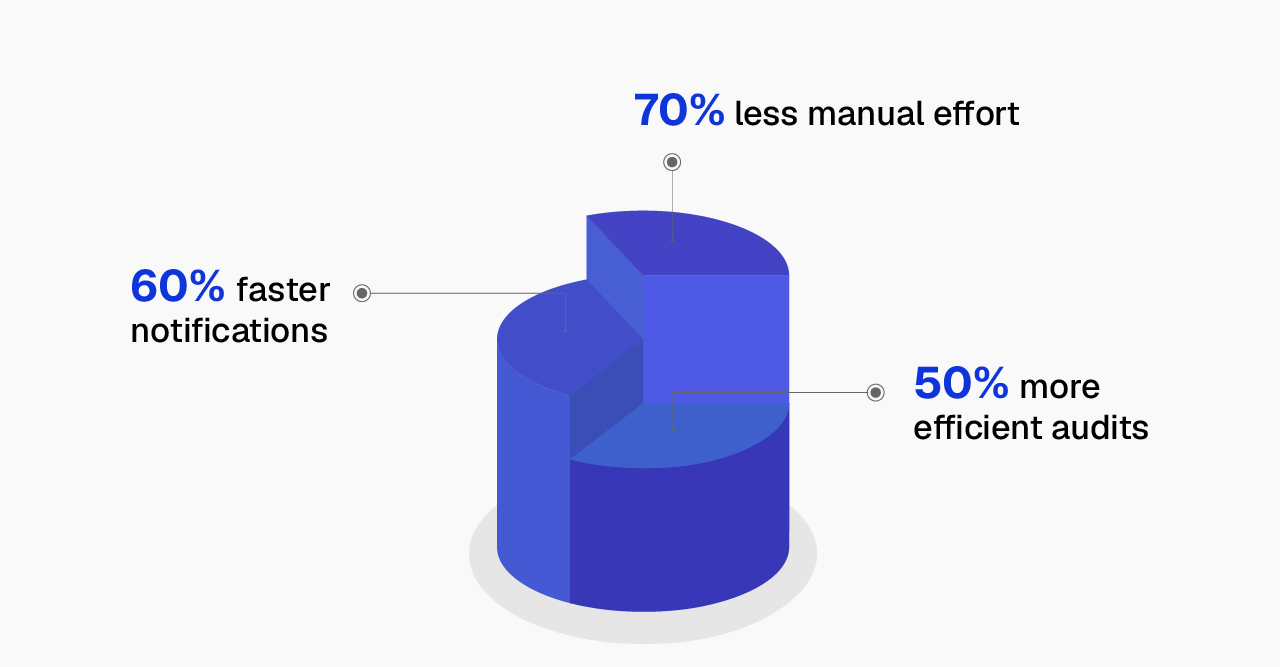
LevelShift has also delivered measurable improvements through tailored solutions. For an American asset management firm, the team replaced a spreadsheet-driven banking account process with a secure, model-driven Power Apps solution. The project resulted in 70% less manual effort, 50% more efficient audits, and 60% faster notifications.
Find the Power Apps Use Case Worth Building
The best Power Apps projects start with a clear business problem, whether that means reducing repetitive administrative work, improving operational visibility, or making approvals more efficient.
Talk to LevelShift’s Power Apps advisory team or answer five questions to receive a customized shortlist of use cases for your business.
When you choose to build with us, you can also receive one of these complimentary offers:
- 📊 Power BI Dashboard
- 🩺 Application Health Check
- 🤖 Copilot Studio Agent Prototype
Find your use case